
LegendPeeps
Home Apps Tools Move to iOS
Move to iOS

Move to iOS

3.69
|
V4.0.3
|
100M+
Move to iOS screenshot Move to iOS screenshot Move to iOS screenshot

App Information

Category Tools
Developer Apple
Version 4.0.3
Content Rating Everyone
Price Free
Min Android 6.0
Updated May 19, 2025

Description

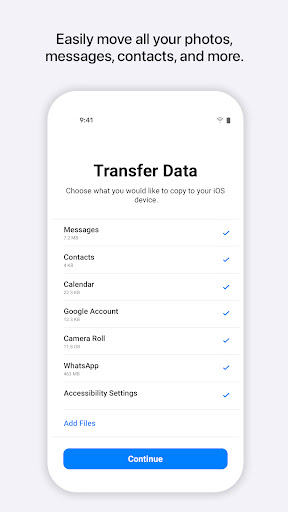
Everything about iOS is designed to be easy. That includes switching to it. With just a few steps, you can migrate your content automatically and securely from your Android device with the Move to iOS app. No need to save your stuff elsewhere before switching from Android. The Move to iOS app securely transfers all kinds of content data for you:

Apps
Calendars
Call logs
Contacts
Camera photos and videos
Mail accounts
Message history
Voice memos
WhatsApp content

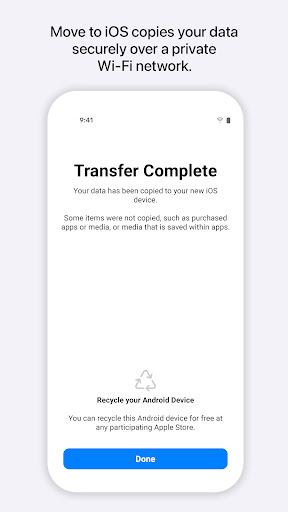
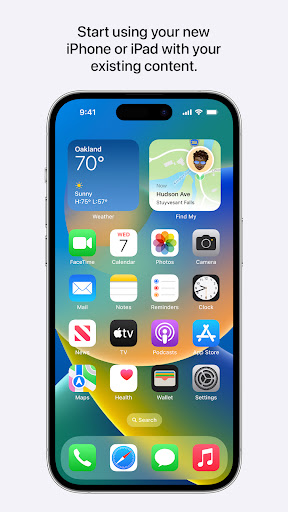
Make sure to keep your devices nearby and connected to power until the transfer is complete. When you choose to migrate your data, your new iPhone or iPad will create a private Wi-Fi network and find your nearby Android device running Move to iOS. After you enter a security code, it will begin transferring your content and put it in the right places. Just like that. Once your content has been transferred, you’re ready to get going. That’s it — you can start using your new iPhone or iPad and experiencing its endless possibilities. Enjoy.

Required App Permission

Location: To establish a Wi-Fi connection between the Android device and the iPhone or iPad, which is needed to migrate the data.

Optional App Permission

- SMS: To migrate your text messages, including multi-media messages and group chats, on iPhone or iPad.
- Photos and Videos: To migrate your photos, videos, and related metadata to iPhone or iPad.
- Notifications: To allow local Android notifications about the status of your migration to iPhone or iPad.
- Contacts: To migrate your contacts to iPhone or iPad.
- Music and Audio: To migrate your downloaded media, audio recordings, and voice memos to iPhone or iPad.
- Phone: To migrate your SIM and carrier information so you can make and manage phone calls on iPhone or iPad.
- Calendar: To migrate your calendar events to iPhone or iPad.
- Call Logs: To migrate your call history to iPhone or iPad.

You can use Move to iOS even without providing consent to any of the above optional app permissions. However, some features of the service may not be available.

Downloads

V4.0.3

Size: 9.95 MB

Updated: 2025-05-19

User Reviews

3.69
220K+ Reviews
5
59%
4
7%
3
4%
2
3%
1
26%
J
James LeDisco
May 15, 2026

doesn't work over the Wi-Fi or the cord. just ends up lagging out

S
Saad Alhomoud
May 15, 2026

I'm HATE iOS

L
Lakisha Ware
May 15, 2026

great customer service

P
Paulina Cruz
May 15, 2026

very good app

A
Andrew Testa
May 15, 2026

only moved some texts? randomly selected who to include

J
J. W.
May 15, 2026

worst ever. i simply want to tranfer whatsapp data which is move from android to ios ok, very troublesome though. next step apple id login followed by 2FA, i realize that my number with esim in iphone cannot receive the code...can never pass through .... multiple trials u always hit issue here or there. complete ly waste of time

S
SHIVANYA RABINDRA
May 15, 2026

1 STAR! Move to ios i thought is easy but it took me 3 hours to set my new 11th gen with Android when I realised the ratings people had the same problems no code nothing, it was confusing with me and I didn't know what to do now I had to do another option, sadly apple didn't fix this error I saw people say in the 2021 and 2022 it used to work I saw but now how can it not work please hear me out New apple players u have to do something else move to ios is hard Apple hear me out please fix this!!!

S
Sir Slacks (Alot)
May 15, 2026

iPhone gives a code and says to type it in the move to ios app on the driod phone. I have looked everywhere and there is no such place to put a code. I shouldn't have to fight tooth and nail to accomplish what should be a simple task.

T
Theresia Viche
May 14, 2026

👍

J
Jalen Franklin
May 14, 2026

It's very efficient in moving everything. There are a few downfalls to be aware of though: 1) Your phone needs to be above 45%, or else it will stop the download 2) Does not keep CONTENTS of your apps (i.e. the notes from Notes App and Password manager must be retyped into Apple device)